 Timer+
Kids Timer
A visual timer for kids
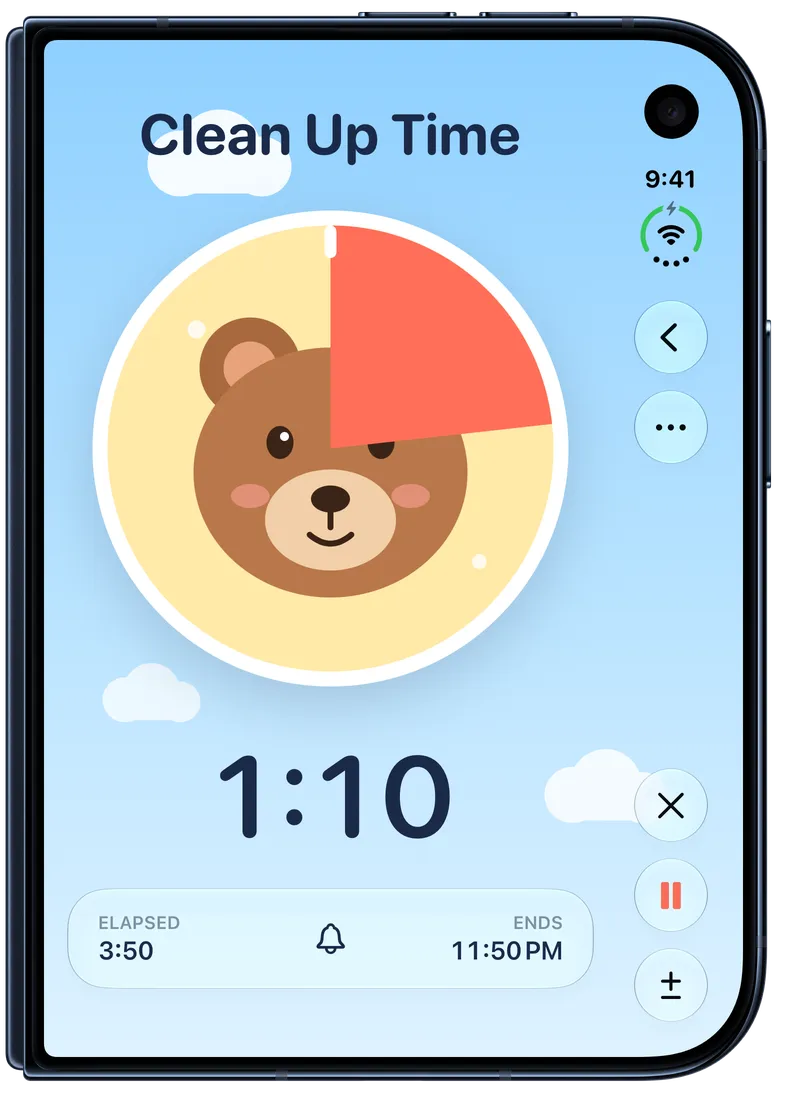
The Kids Timer in Timer+ is a colorful pie that shrinks as time runs down. When the time is up, a friendly bear is fully showing, so toddlers and preschoolers can see how long is left without reading a clock.

Easier transitions for toddlers and preschoolers
When kids can see how long is left, leaving the park, ending screen time, bath time, and bedtime go more smoothly.
Leaving the park
Start a few minutes before it’s time to go, so leaving isn’t a surprise.
Ending screen time
Kids can see how much screen time is left instead of asking.
Bath time and bedtime
Give a set time for the bath, then a few minutes to get ready for bed.
Getting ready
Brushing teeth, getting dressed, and putting on shoes before school.
Taking turns
Each child gets the same time with a toy or a game.
Quiet time
A calm stretch of reading or rest with a clear end.
How the Kids Timer works
- Step 1
Tap + and choose Kids Timer under Templates.
- Step 2
Set how long it runs, and start it.
- Step 3
A coral pie covers the bear and shrinks as time runs down.
- Step 4
When the time is up, the bear is fully showing and the timer’s sound plays.
Saved with your other timers
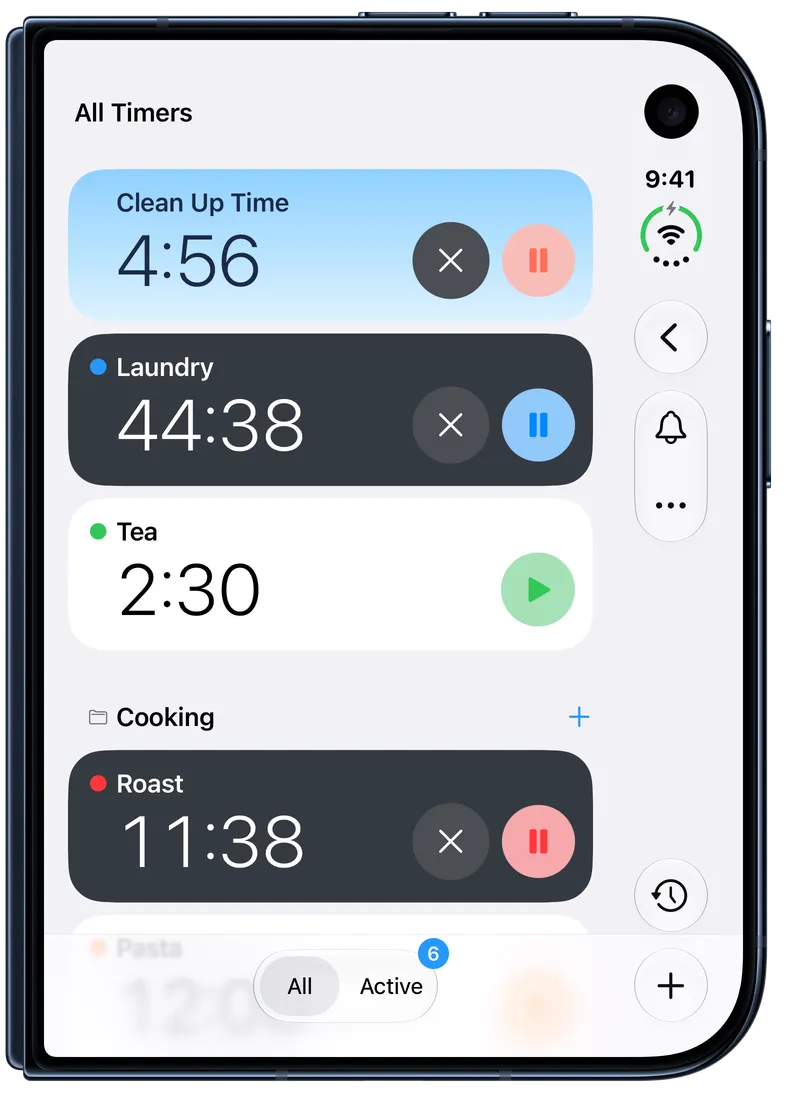
A Kids Timer stays in your timer list, so the clean-up timer or the bedtime timer is one tap away tomorrow. While it runs, its card shows the same sky as the timer. Pause it, add a minute, or stop it with the same buttons as any Timer+ timer.
Get the Kids Timer in Timer+
Timer+ runs on iPhone and iPad. Add a Kids Timer from Templates and start it in one tap.