 Timer+
How it works
How an EMOM minute works
An EMOM starts new work at the top of every minute. The quicker you move, the more rest you have before the next one begins.

Timer+ is a free EMOM timer app for iPhone. A sound marks the start of each minute, the screen shows which exercise is up and how many minutes are done. You rest for whatever is left of each minute.

How it works
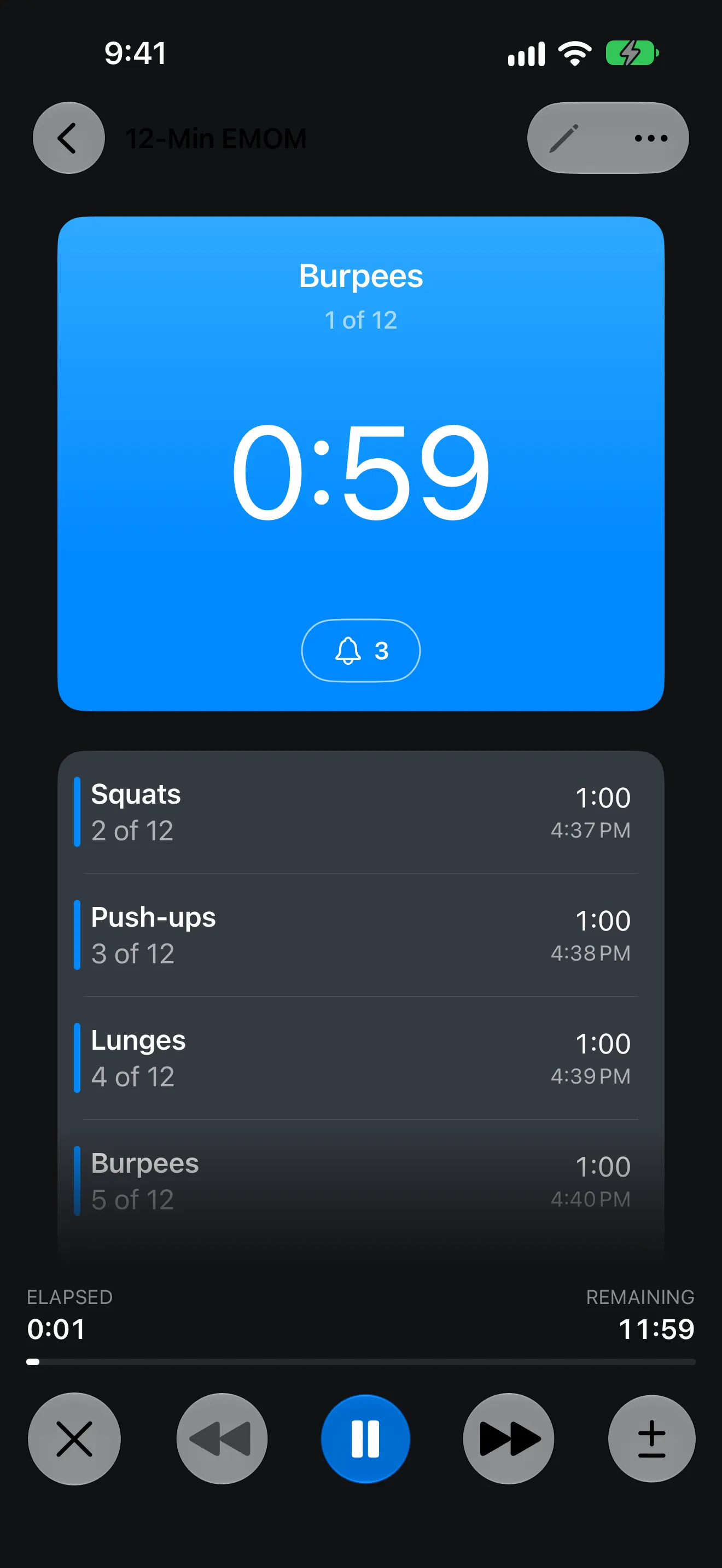
An EMOM starts new work at the top of every minute. The quicker you move, the more rest you have before the next one begins.
A sound starts every minute, so you don't have to watch the clock.
The running screen shows which minute you are on, such as 3 of 12, and how much time is left.
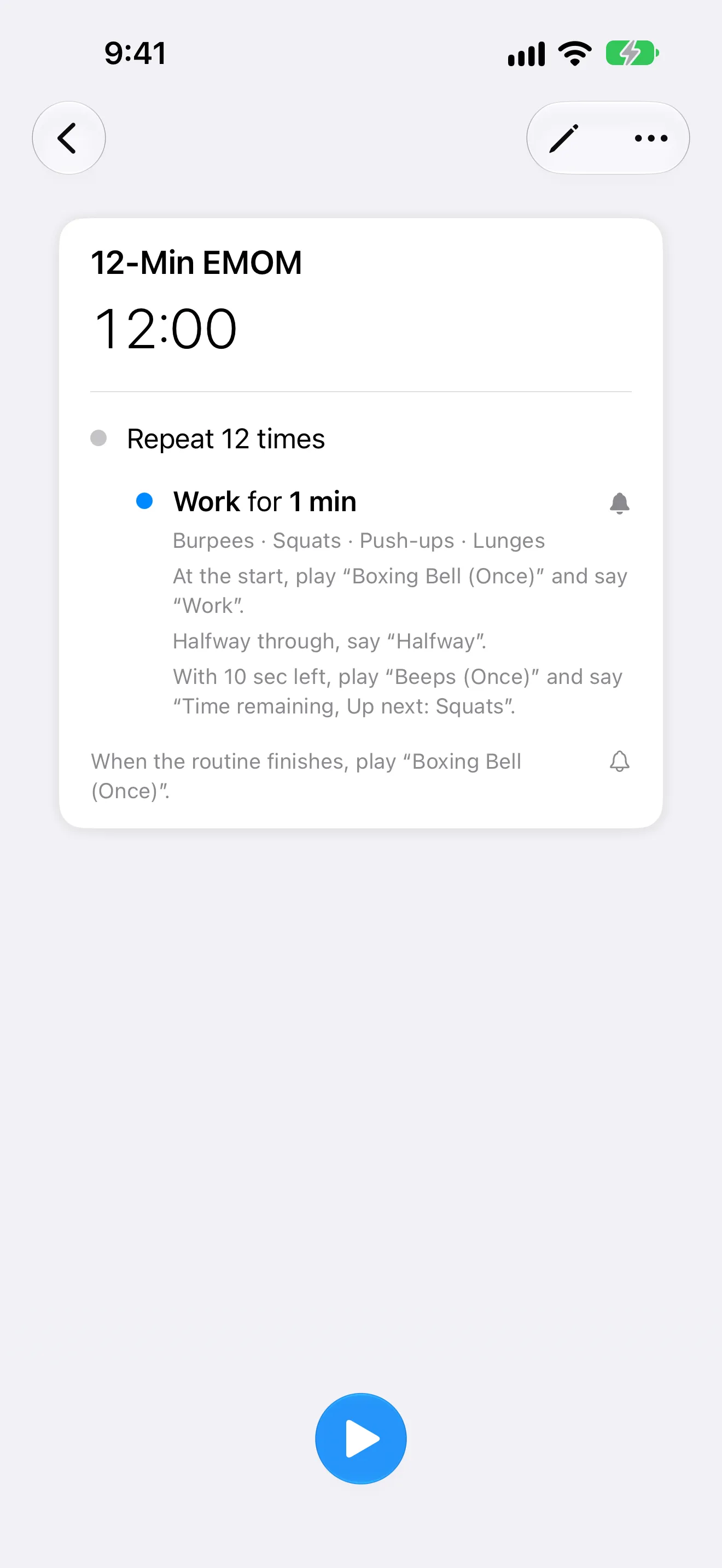
Set any length for each repeat when heavier work needs more time between starts.
Exercise names
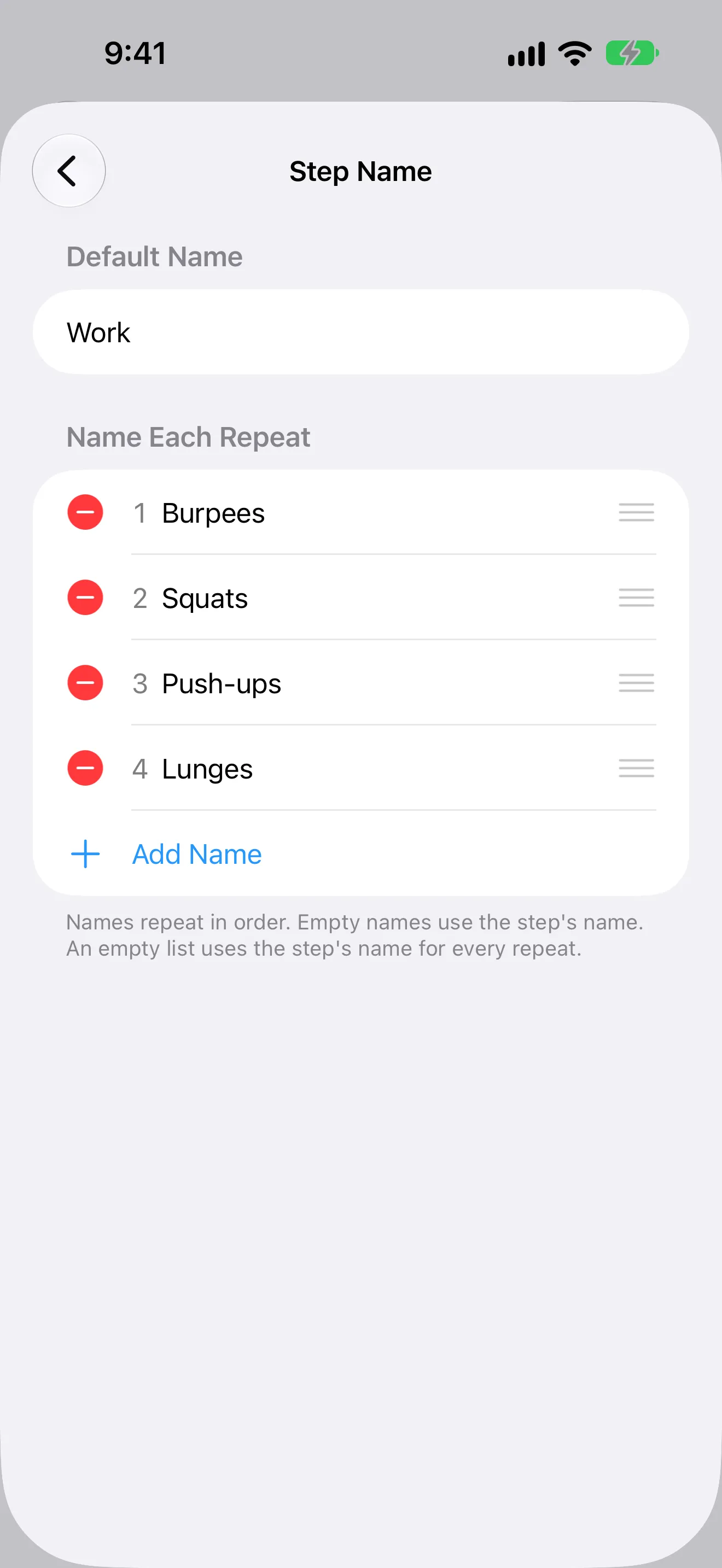
With Name Each Repeat, every minute carries the name of its movement. Set a four-movement rotation once and Timer+ shows what's up as each minute begins.
↻ Three times through · 12 minutes
App Store review
5 out of 5 stars“I can set a timer to go off every minute, 2, etc. and choose how many times I need for it to alarm (e.g., 5, 8, 15, 20, etc.)”
Timer History
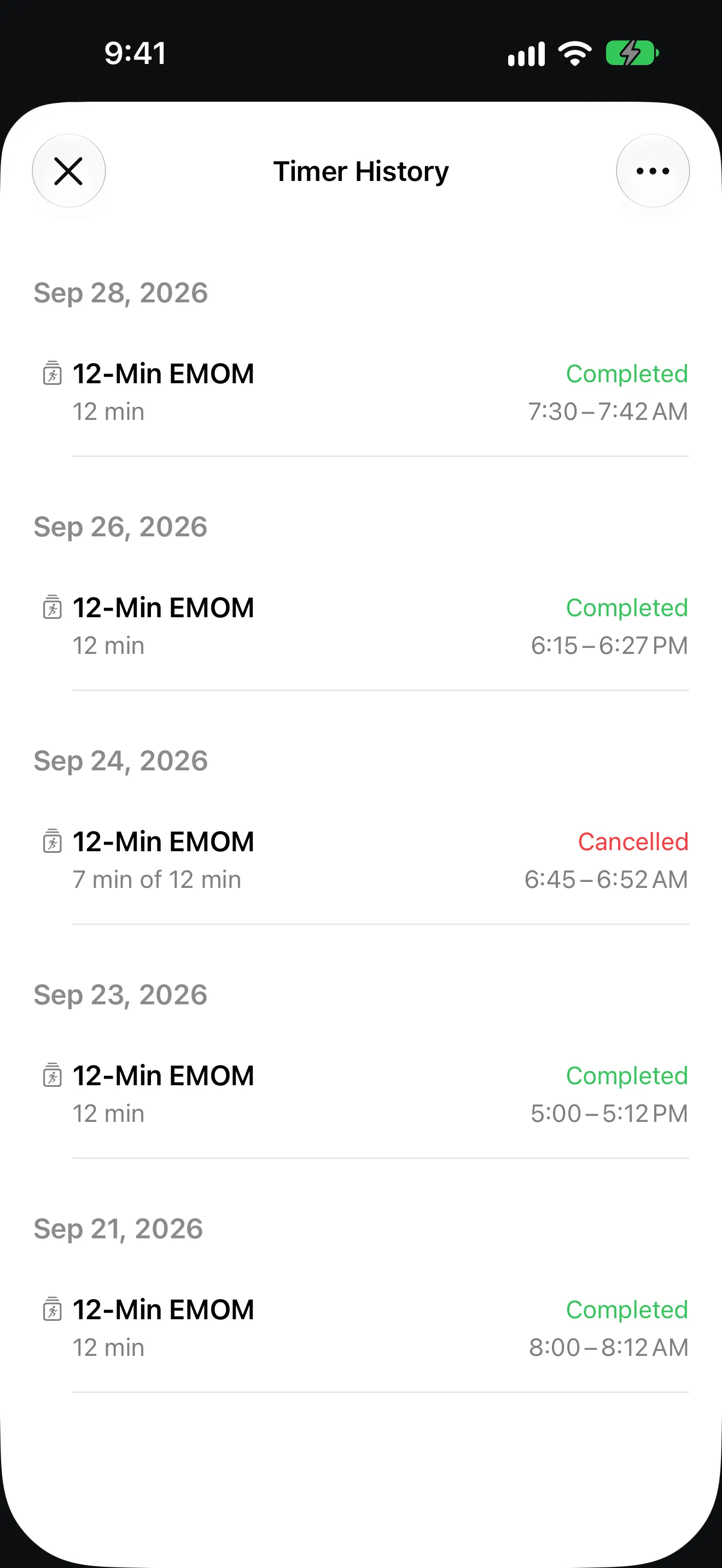
Every run you finish is kept in Timer History. To repeat a workout, start the same saved timer again.
FAQ
EMOM stands for every minute on the minute. At the start of each minute you do a set amount of work, such as 10 burpees, and rest for whatever time is left before the next minute begins. A 12-minute EMOM has 12 rounds.
Yes. The EMOM template is ready in the catalog. Copy it, set the number of repeats, and start.
Yes. Set each repeat to any length, such as every 90 seconds or every two minutes.
Yes. Use Name Each Repeat to give every minute its own movement. Names repeat in order, so a four-movement rotation works for any number of rounds.
Yes. Every EMOM you build is saved in your timer list, and Timer History keeps the runs you complete.
Get Timer+
Download Timer+, open the EMOM template, and start your first EMOM.