 Timer+
Formats
AMRAP, EMOM, and Tabata timers in one app
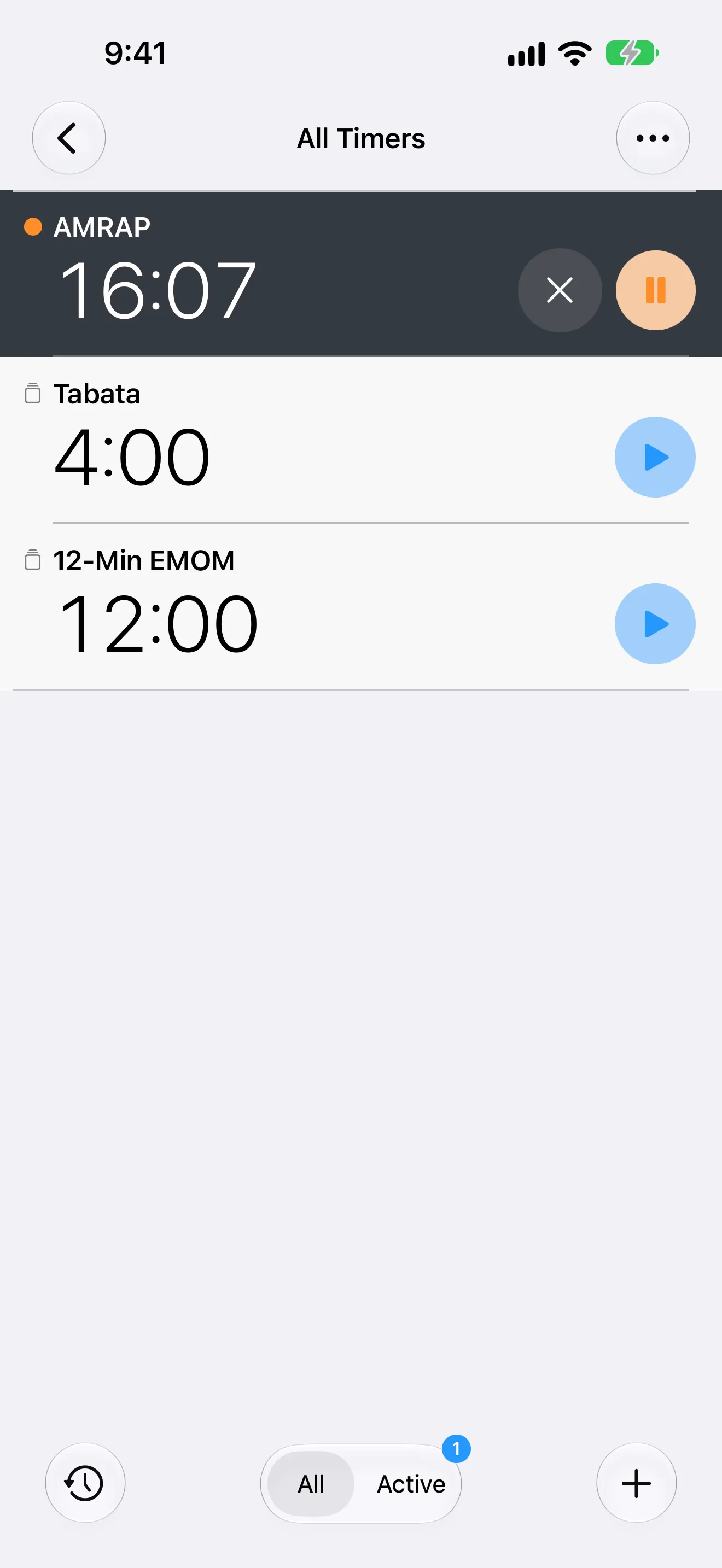
Each format is a saved timer with a large clock and a sound at every change.

Timer+ is a free CrossFit timer app for iPhone. Keep AMRAP, EMOM, and Tabata timers saved side by side, start the one today's WOD calls for, and let it keep time while you move.

Formats
Each format is a saved timer with a large clock and a sound at every change.
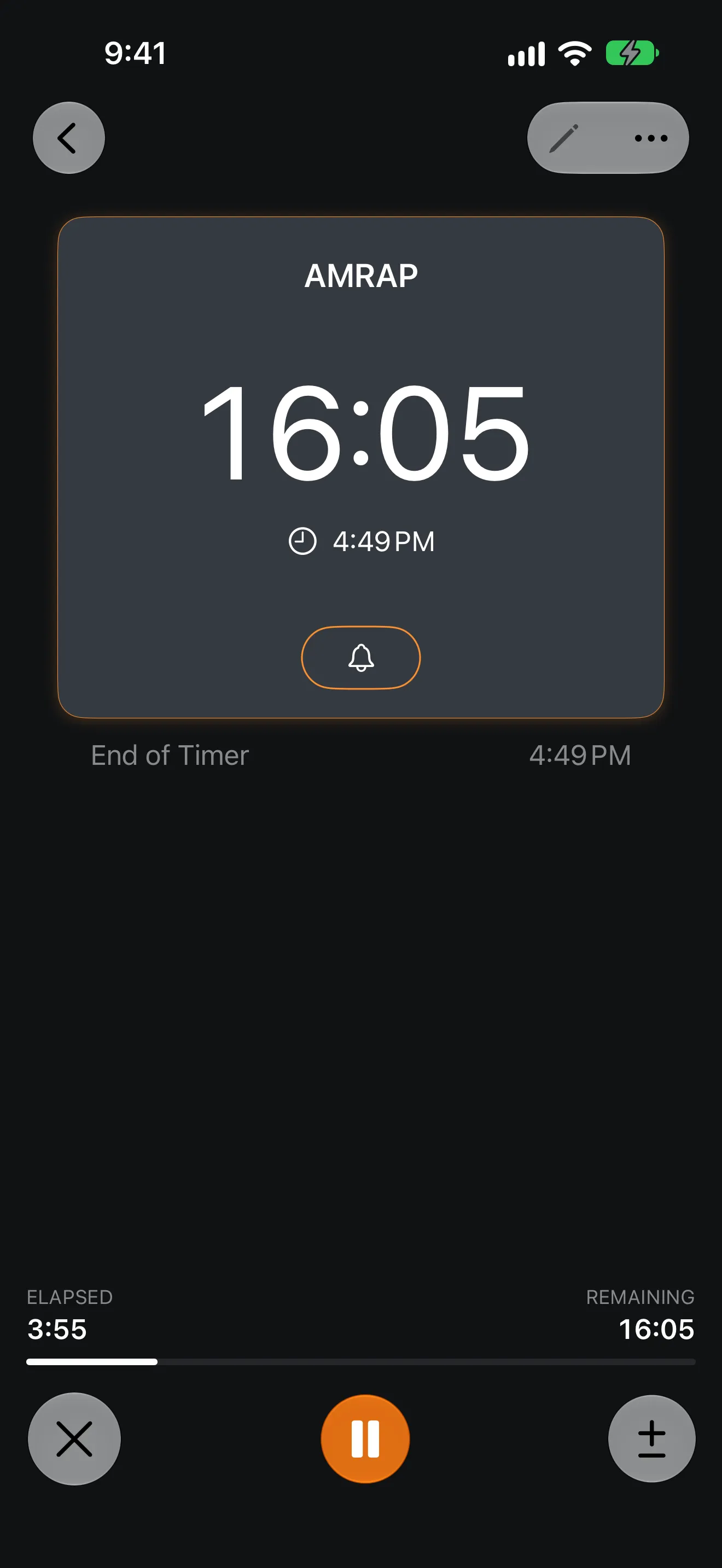
As many rounds as possible before the cap. Timer+ counts the clock down and alerts you when time is up, even with the phone asleep.
New work at the top of every minute. Each minute can carry the name of its own movement.
More about the EMOM timer →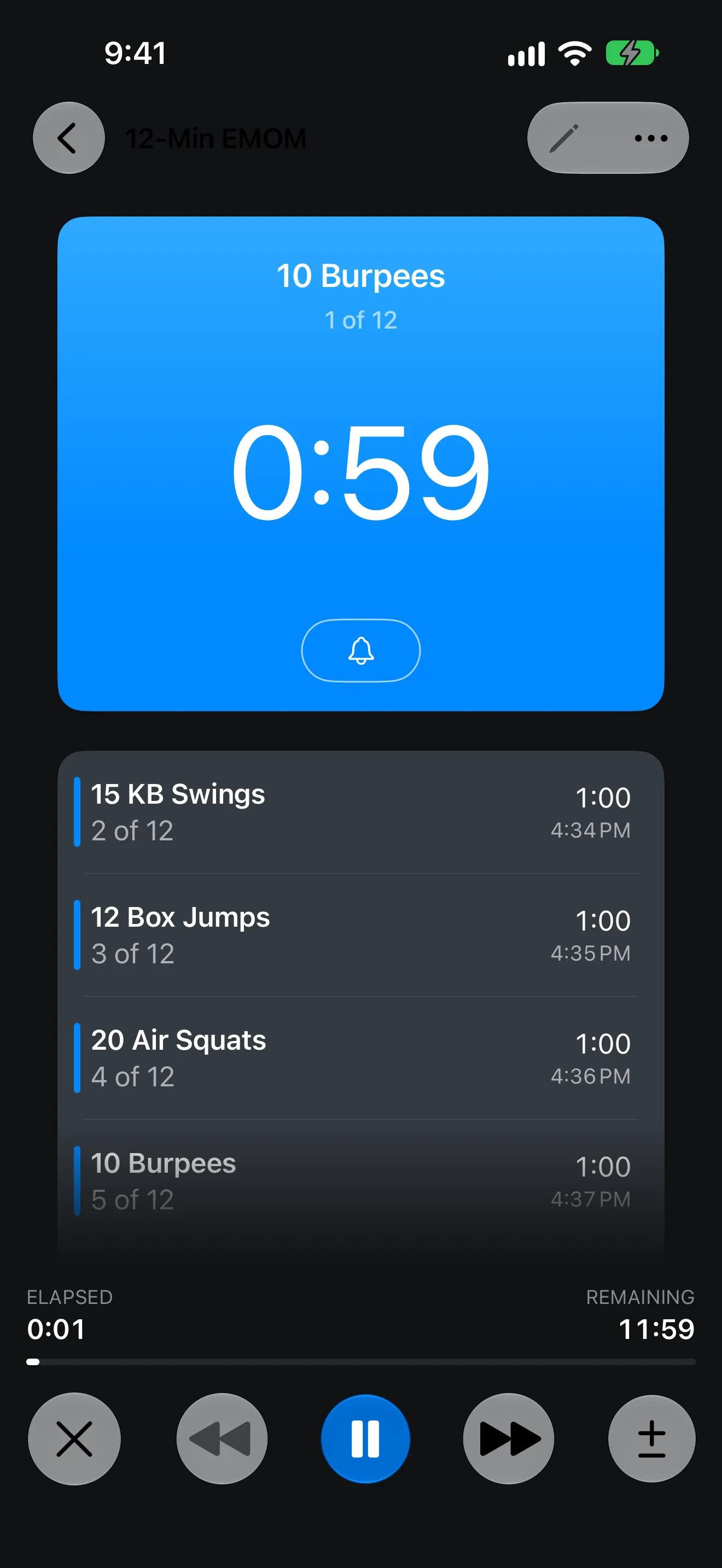
Eight rounds of 20 seconds on and 10 seconds off. Four minutes, nothing to count.
More about the Tabata timer →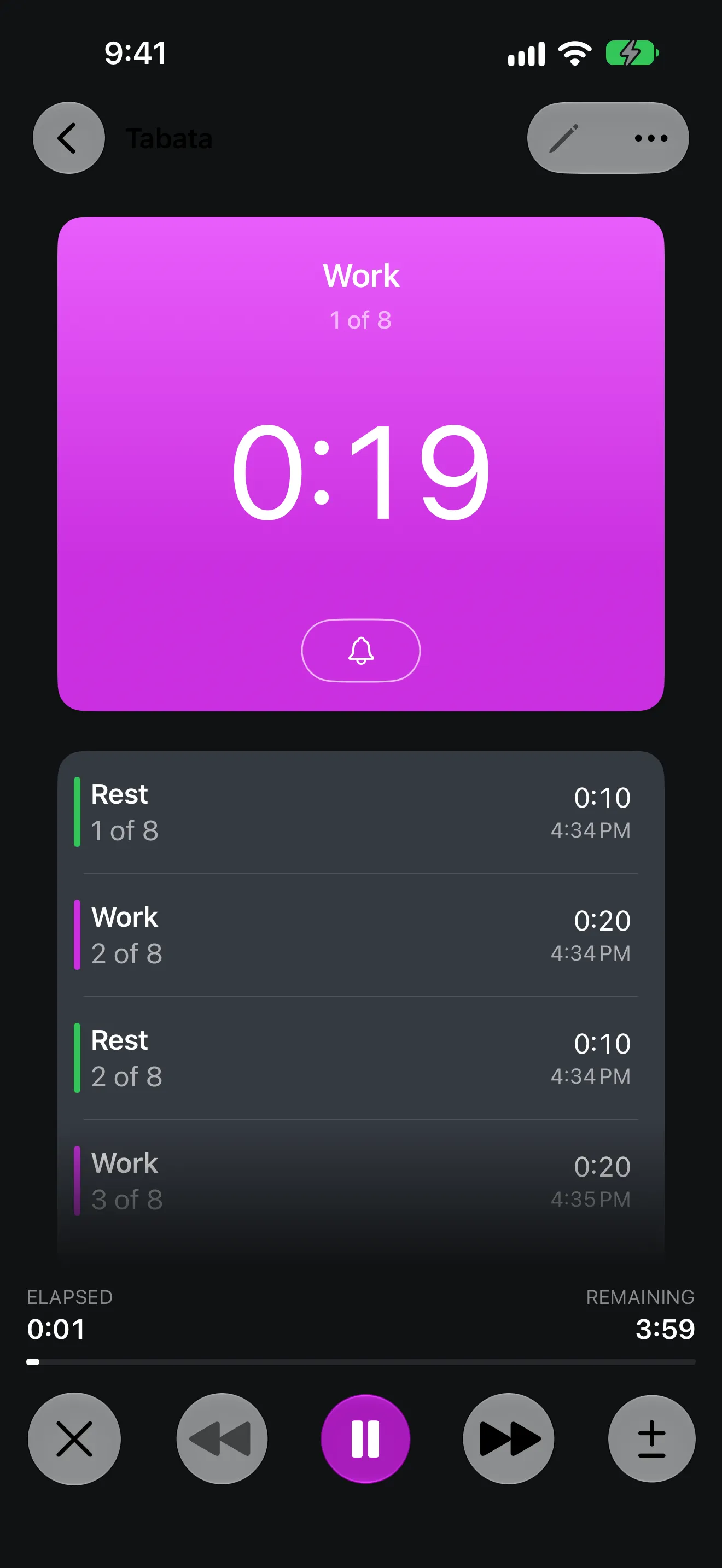
Hands-free
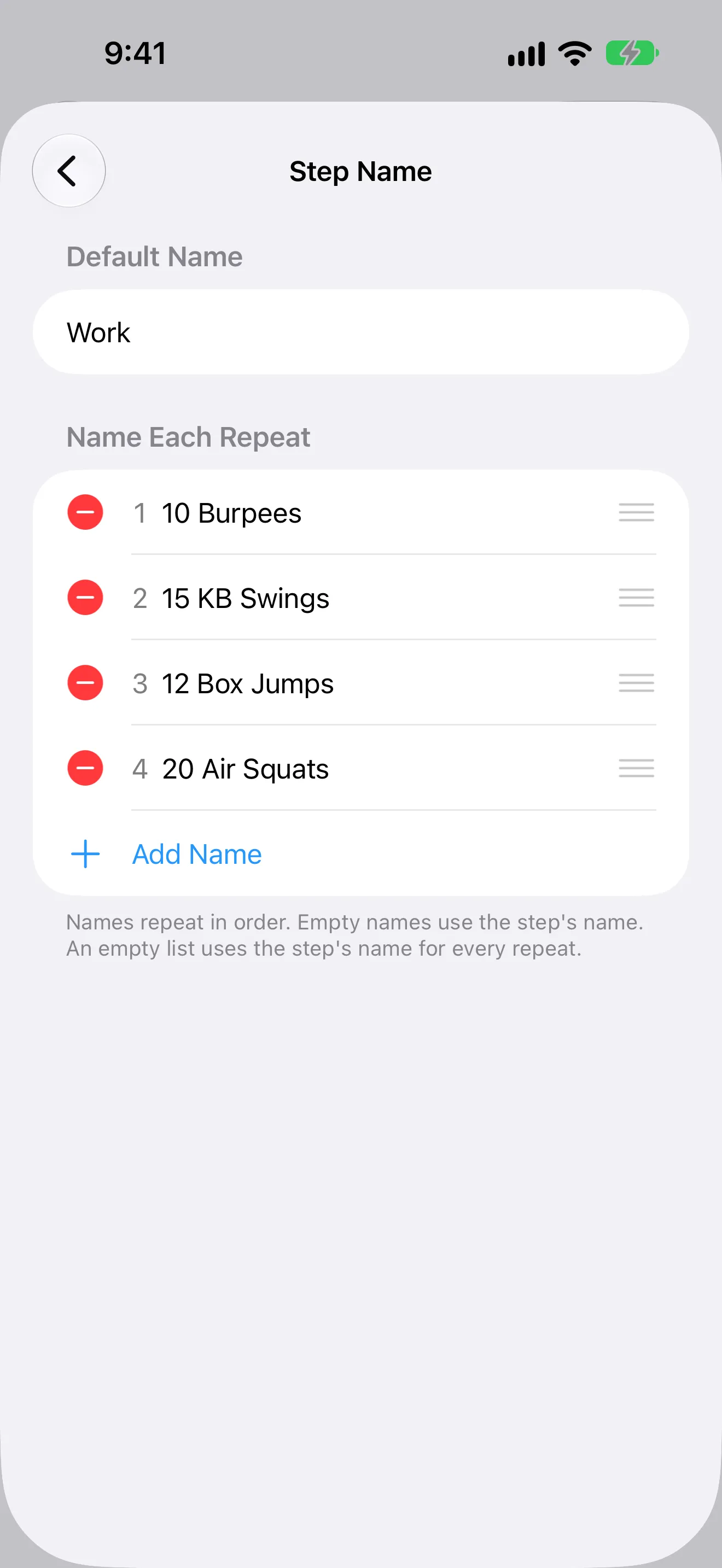
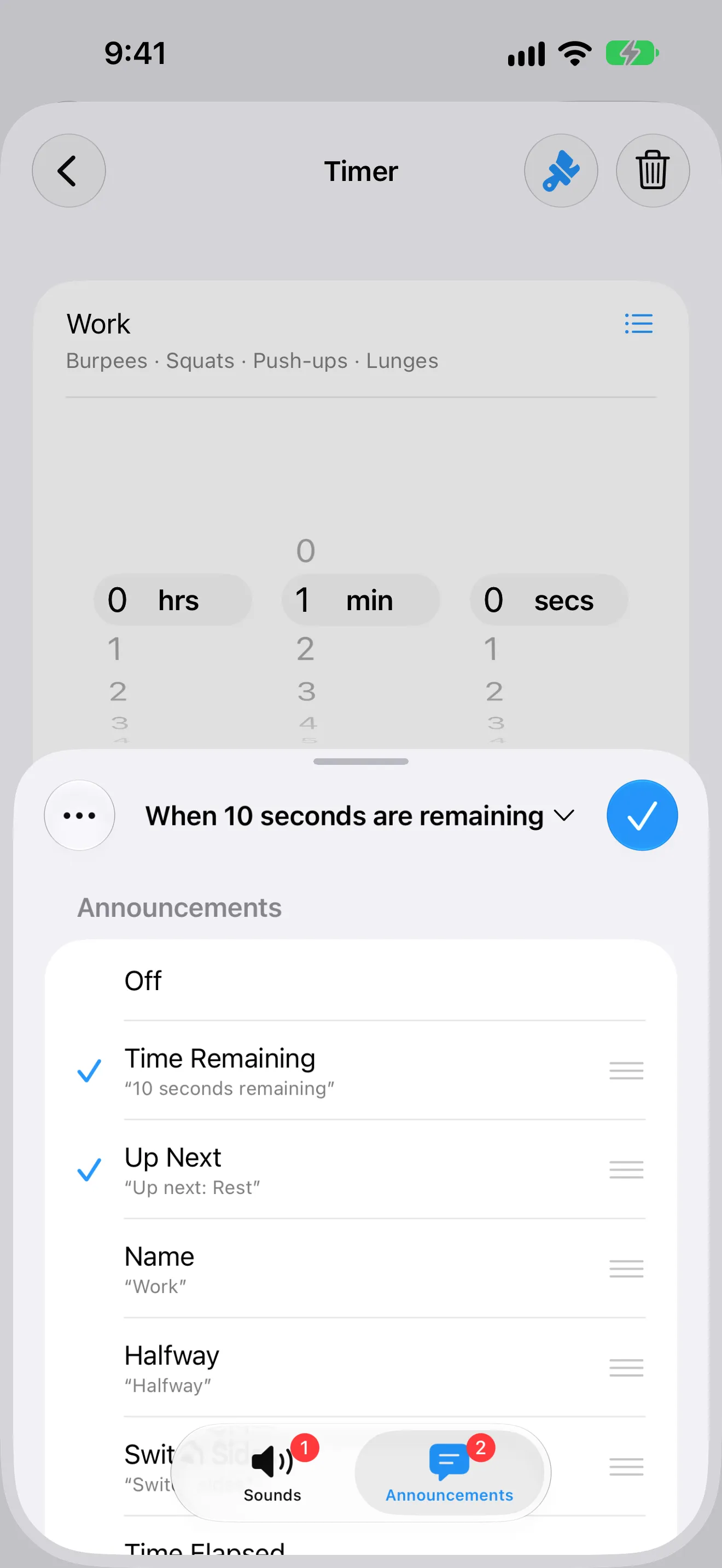
Type in each minute's movement once. Timer+ says it as the minute starts and, near the end, tells you what's up next. You don't have to look at the screen.
App Store review
5 out of 5 stars“I use this app for my AMRAP WODS. It's great because you can let your phone go into sleep mode and it'll still alert you when time is complete. Also you can set it is seconds too which is great to get set up and begin on a mark!”
Saved workouts
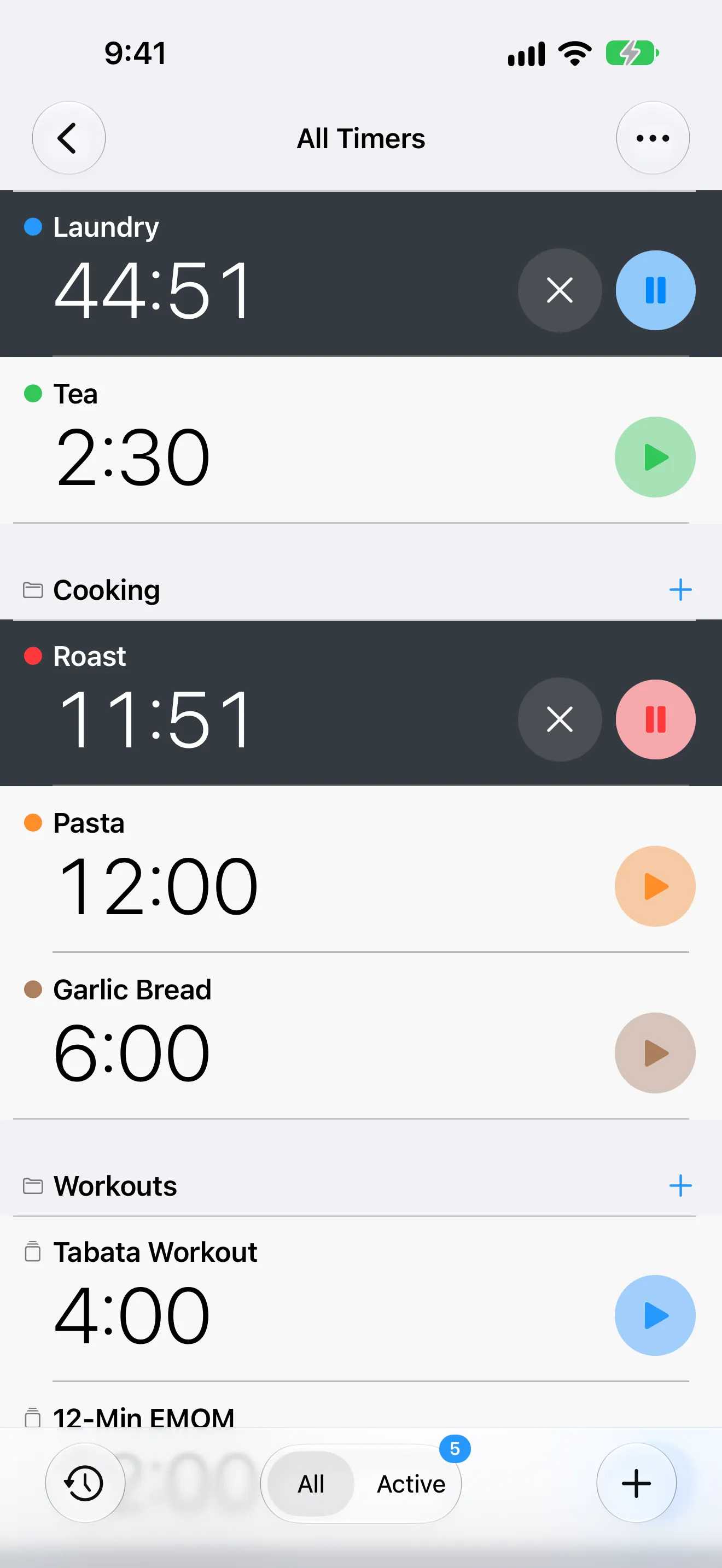
Save the workouts you repeat by name and start any of them in one tap, at the box or anywhere else.
Timer History
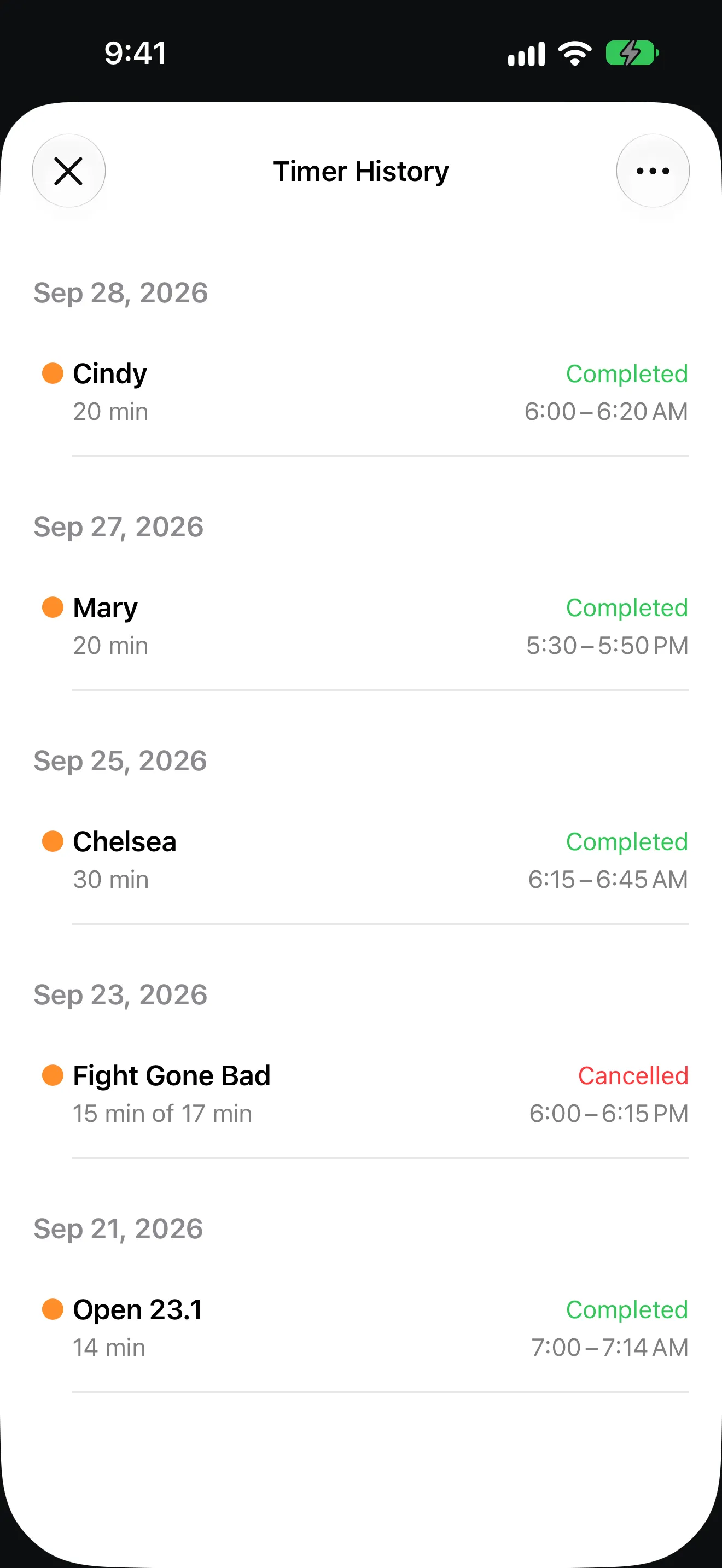
Timer History keeps every WOD you run, with the date, the time, and whether you finished, so you can compare runs of the same benchmark.
FAQ
AMRAP stands for as many rounds (or reps) as possible. You repeat a set circuit as many times as you can before a time cap, such as 20 minutes. An AMRAP timer counts down to that cap and alerts you when time is up.
Yes. Timer+ includes EMOM and Tabata Workout templates, AMRAP-style countdown timers, and fully custom routines in one timer list.
Yes. Timer+ sends an alert when a timer completes while the app is in the background. Your notification and sound settings affect how it is delivered.
Yes. Sounds mark every change, and while the timer is open, announcements can say the step name and what is up next.
Yes. Save workouts with their own names and start the same structure again with one tap.
Yes. Timer History keeps completed and cancelled runs so you can review past workouts and run them again.
Get Timer+
Download Timer+ and keep every format you train ready in one list.