Timer+ vs Apple Clock

Which timer app is best when Apple Clock is not enough?

Apple Clock is great for quick alarms, simple timers, and stopwatch laps. Timer+ is built for people who need reusable timer setups, repeating timers, timers they can add or subtract time from while running or after completion, labeled stopwatches, custom intervals, date timers, voice prompts, widgets, Live Activities, and timer history across iPhone, iPad, and Apple Watch.

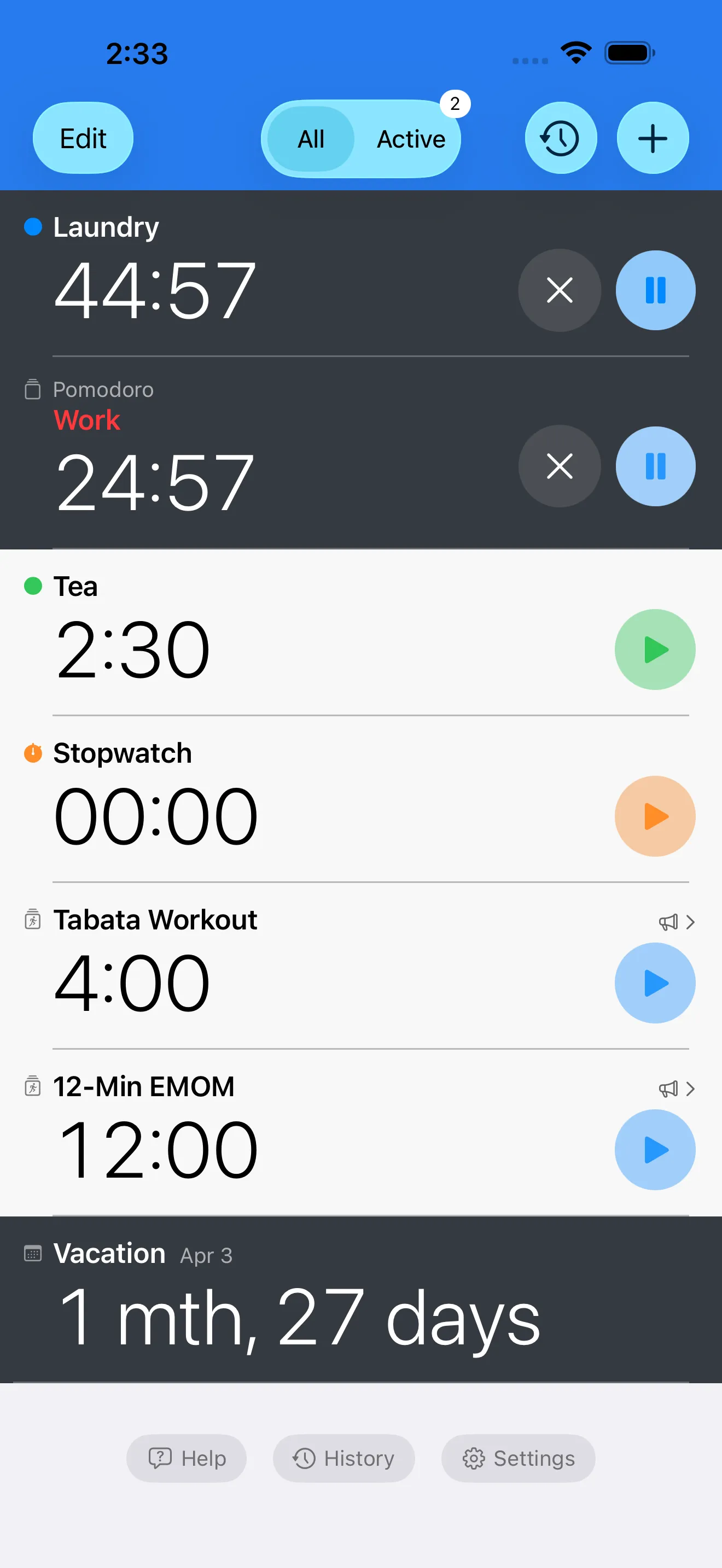
Timer list showing multiple active timers and a stopwatch
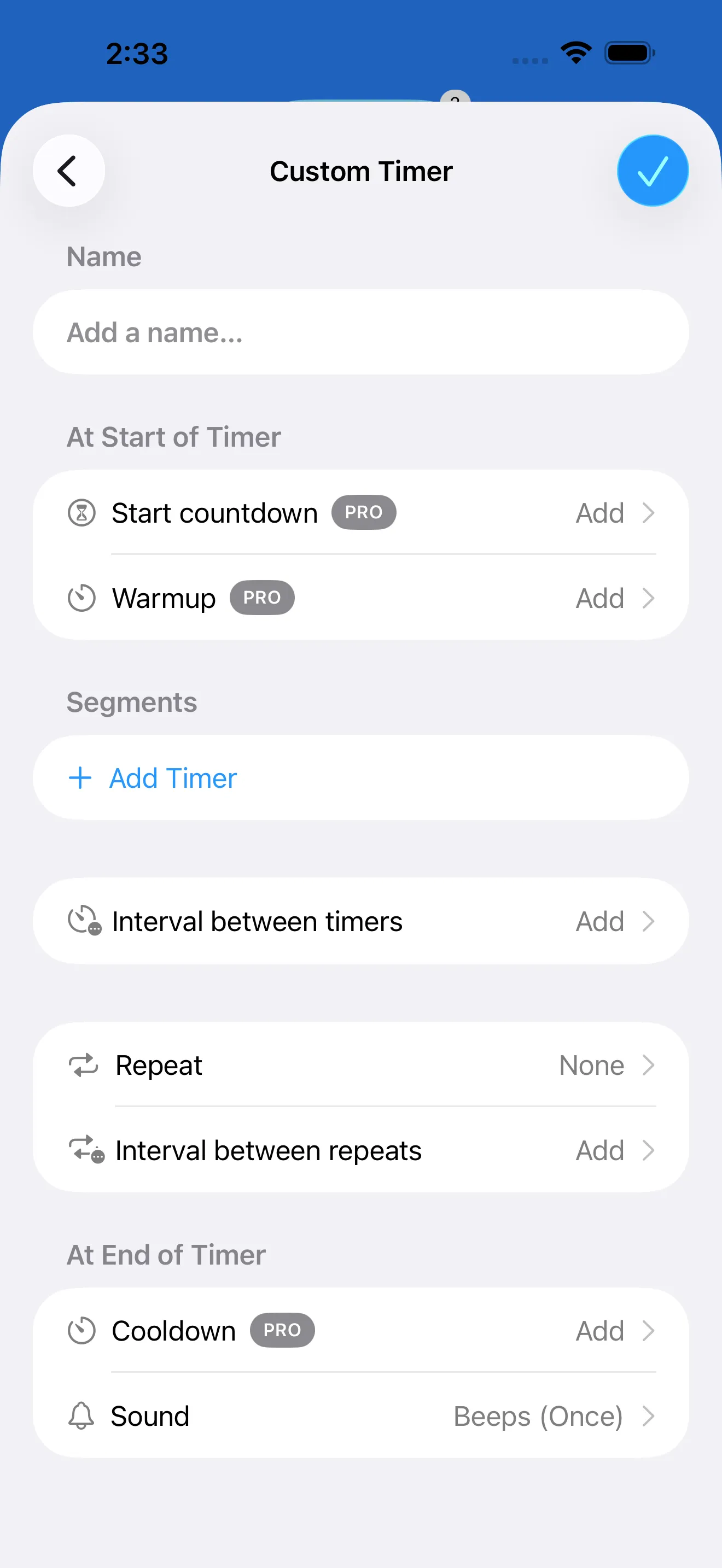
Custom interval timer editor with segment controls

The Short Version

How Timer+ stands out

  • Saved timer and stopwatch library
  • Add or subtract time from running or completed timers
  • Repeating timers for routines that cycle automatically
  • Custom interval templates for workouts, cooking, and focus
  • Date timers, history, voice prompts, and 31 alert sounds
  • Built for iPhone, iPad, Apple Watch, widgets, and Live Activities
How Apple Clock stands out

  • Already installed on Apple devices
  • Great for quick one-off timers and alarms
  • Simple stopwatch with lap timing
  • Works well for basic everyday timing needs

Timer+ vs Apple Clock Feature Comparison

Feature
Timer+
Apple Clock
Quick one-off timer

Timer+

Fast countdowns with labels, colors, sounds, and saved setups.

Apple Clock

Excellent for simple timers that do not need much setup.
Multiple timers

Timer+

Organize many labeled timers in a reusable timer list.

Apple Clock

Supports basic multiple timers for everyday use.
Adjust time after starting

Timer+

Add or subtract time from a timer while it is running, or adjust a completed timer and keep going.

Apple Clock

Best when the original timer duration is already right.
Repeating timers

Timer+

Repeat timers automatically for routines that need the same countdown again and again.

Apple Clock

Best for one-off countdowns that you start manually.
Stopwatches

Timer+

Run labeled stopwatches alongside countdowns and saved workflows.

Apple Clock

Includes a simple stopwatch with lap support.
Custom interval routines

Timer+

Build warmups, work blocks, rests, rounds, cooldowns, and reusable presets.

Apple Clock

Best for basic countdowns rather than structured interval programs.
Reusable templates

Timer+

Save common routines so workouts, study blocks, and cooking flows are ready again.

Apple Clock

Recent timers help with quick reuse, but it is not a template library.
Alerts and voice prompts

Timer+

Choose from 31 alert sounds and use voice prompts for interval transitions.

Apple Clock

Uses straightforward timer alerts from the system Clock experience.
Date and event timers

Timer+

Count down to future events or track elapsed time since a past date.

Apple Clock

Focused on clock, alarms, stopwatch, and duration timers.
Timer history

Timer+

Review completed runs and repeat timing structures that worked.

Apple Clock

Keeps the built-in experience simple and lightweight.
Apple platform visibility

Timer+

Designed for iPhone, iPad, Apple Watch, widgets, Live Activities, and Dynamic Island.

Apple Clock

Deeply integrated because it is built into Apple platforms.

Choose Timer+ if

  • You run several named timers or stopwatches at once.
  • You want to extend, shorten, or restart from a completed timer without rebuilding it.
  • You need timers that repeat automatically for recurring routines.
  • You repeat the same workout, cooking, study, or work routine.
  • You need custom intervals with warmups, rests, rounds, and cooldowns.
  • You want timer history, richer alerts, voice prompts, widgets, and Live Activities.

Choose Apple Clock if

  • You only need a quick timer, alarm, or stopwatch once in a while.
  • You do not want to install another app.
  • You prefer the simplest possible built-in tool.
  • You do not need saved routines, date timers, or advanced interval controls.

Why the difference matters

Basic timers are not the same as timing workflows

A quick timer is enough for many moments. The problem starts when you need the same setup again tomorrow, when several timers need meaningful labels, or when a workout or cooking flow needs a warmup, work block, rest, repeat, and cooldown. Timer+ keeps those timing structures reusable instead of disposable.

Real timers need quick corrections

Recipes run long, rests need one more minute, and a finished countdown sometimes needs to keep going. Timer+ lets you add or subtract time from a timer while it is running or after it completes, so you can correct the timer without stopping your flow or creating a new one.

Repeating timers reduce manual restarts

Some routines are built around the same countdown happening over and over: classroom rotations, stretching holds, medication reminders, prep cycles, or focused work blocks. Timer+ can repeat timers automatically so you do not have to keep restarting the same countdown by hand.

Stopwatches belong next to your timers

Apple Clock gives you a simple stopwatch when that is all you need. Timer+ is better when elapsed-time tracking is part of a broader timer setup: labeled stopwatches, countdowns, and interval timers all living in the same organized workspace.

Custom intervals need more than a countdown

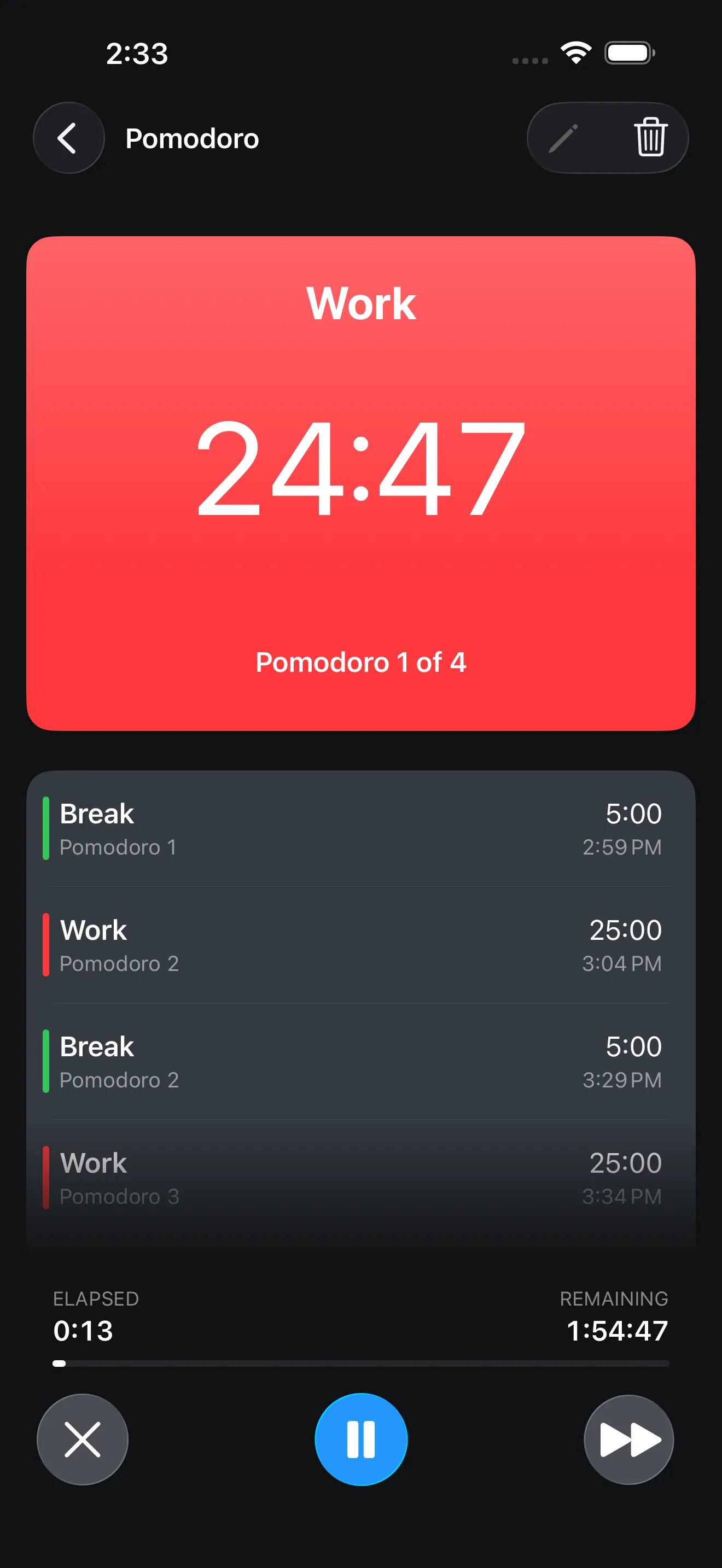
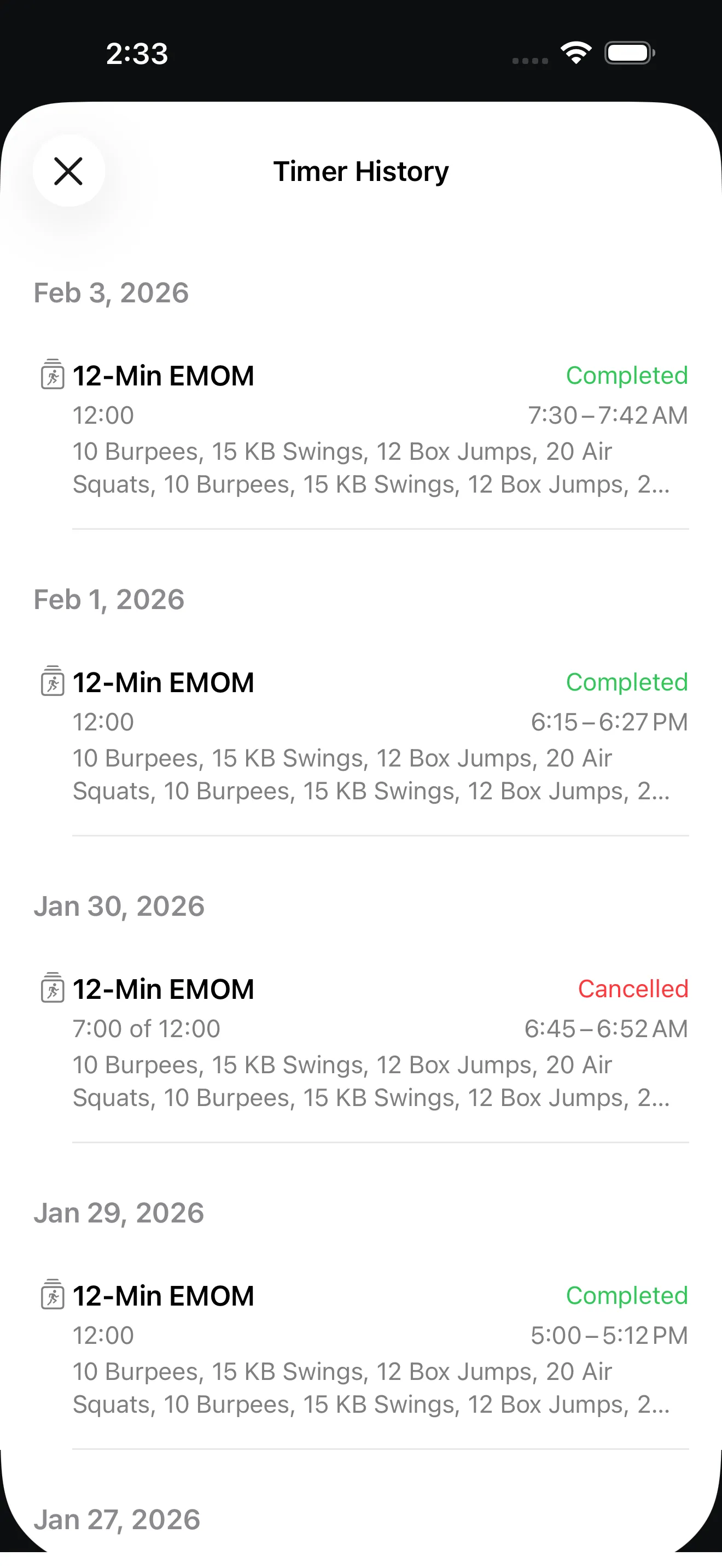
HIIT, Tabata, EMOM, Pomodoro, therapy exercises, classroom rotations, and cooking sequences all need named steps and reliable transitions. Timer+ supports custom segment names, repeat logic, sounds, voice prompts, and history so the timer can guide the routine instead of just ending it.

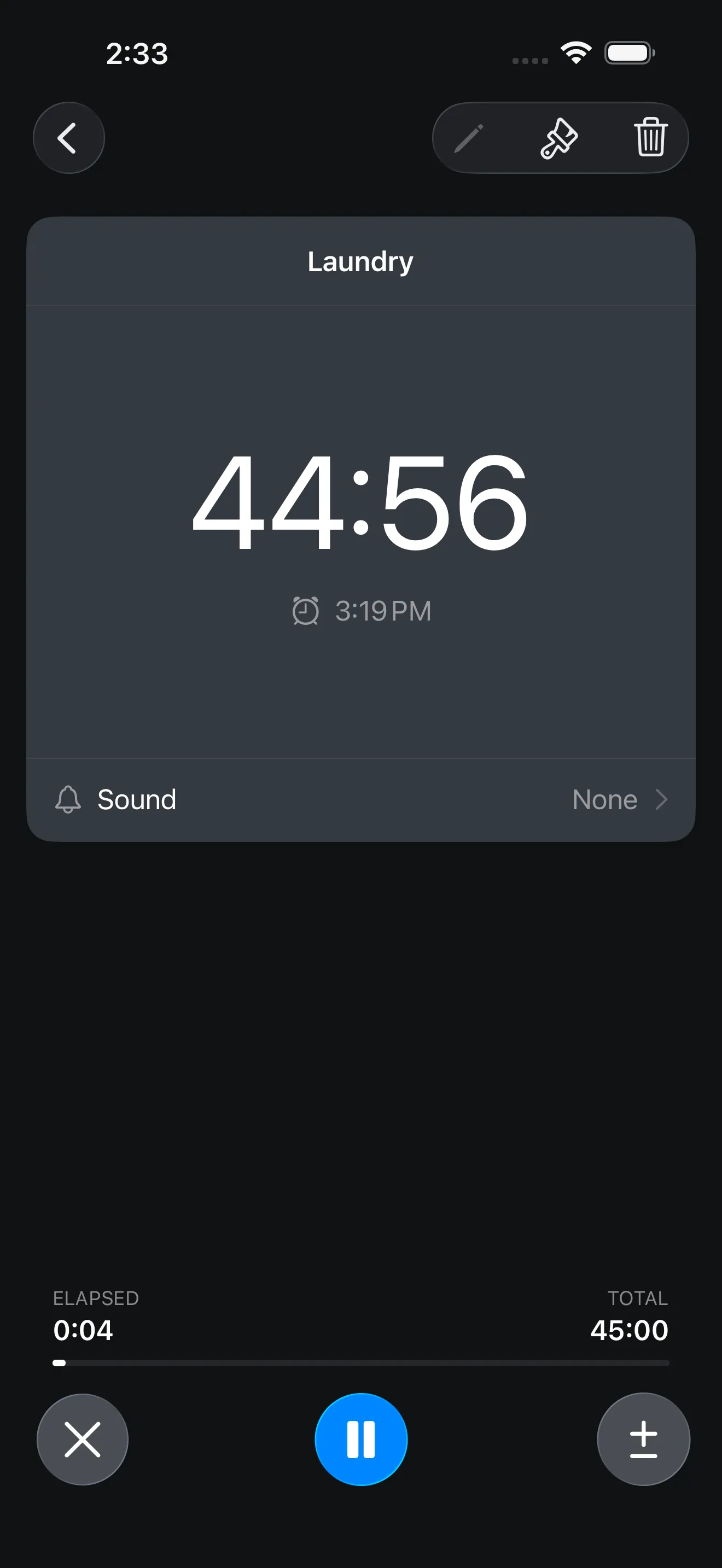
Countdown timer running with large time display
Pomodoro timer running in focus mode
EMOM timer history view

Frequently Asked Questions

Is Timer+ better than Apple Clock?

Timer+ is better when you need reusable timer setups, repeating timers, the ability to add or subtract time from running or completed timers, labeled stopwatches, custom intervals, date timers, richer alerts, history, widgets, and Live Activities. Apple Clock is still a good choice for basic one-off timers, alarms, and stopwatch use.

Does Apple Clock support multiple timers?

Yes, Apple Clock supports multiple timers for basic everyday timing. Timer+ is designed for people who want a more organized timer library with templates, labels, sounds, custom intervals, and history.

Can Timer+ replace the iPhone or iPad Clock app?

Timer+ can become your main app for countdowns, stopwatches, date timers, and interval routines. You may still use Apple Clock for alarms, world clocks, or quick built-in tasks.

Does Timer+ work on iPad and Apple Watch?

Yes. Timer+ is built for iPhone, iPad, and Apple Watch, with timer visibility through widgets and Live Activities.

Ready for timers that scale past the basics?

Download Timer+ for adjustable timers, repeating timers, multiple timers, stopwatches, custom intervals, date timers, widgets, Live Activities, Apple Watch, and reusable timing templates.