
Tiện ích
Điều khiển bộ hẹn giờ từ Màn hình chính
Tiện ích Timer+ cho iPhone và iPad giúp các bộ hẹn giờ hữu ích nhất của bạn luôn trong tầm tay. Xem danh mục bên dưới, rồi làm theo Thêm tiện ích Timer+ để đặt một tiện ích lên Màn hình chính.
Danh mục tiện ích Timer+
Phần tiêu đề “Danh mục tiện ích Timer+”| Tiện ích | Nơi hiển thị | Kích thước | Chức năng |
|---|---|---|---|
| Hẹn giờ | Màn hình chính của iPhone và iPad | Nhỏ | Hiển thị và điều khiển một bộ hẹn giờ đã lưu với bố cục gọn |
| Hẹn giờ | Màn hình chính của iPhone và iPad | Vừa | Hiển thị và điều khiển một bộ hẹn giờ đã lưu với bố cục rộng hơn |
| Bộ Hẹn Giờ Đang Chạy | Màn hình chính của iPhone và iPad | Vừa | Hiển thị tối đa bốn bộ hẹn giờ đang chạy hoặc tạm dừng |
| Bộ Hẹn Giờ Đang Chạy | Màn hình chính của iPhone và iPad | Lớn | Hiển thị tối đa mười một bộ hẹn giờ đang chạy hoặc tạm dừng |
Tiện ích Hẹn giờ trên Màn hình chính
Phần tiêu đề “Tiện ích Hẹn giờ trên Màn hình chính”Tiện ích Hẹn giờ giữ một bộ hẹn giờ đã lưu trên Màn hình chính của iPhone hoặc iPad. Tiện ích có kích thước nhỏ và vừa.
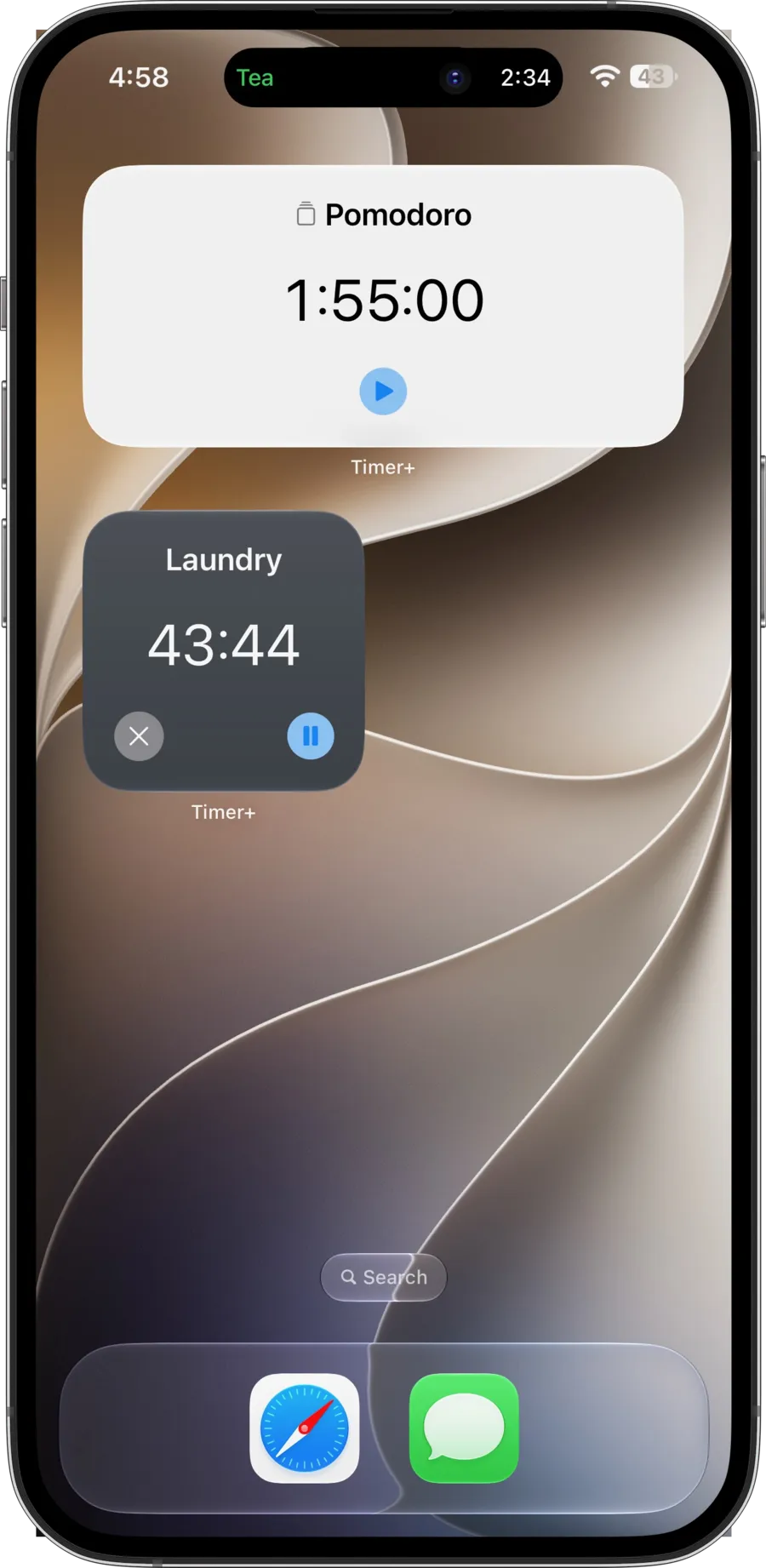
Dùng các nút của tiện ích để thực hiện những thao tác có sẵn cho trạng thái hiện tại của bộ hẹn giờ. Chạm vào chỗ khác trên tiện ích để mở bộ hẹn giờ đó trong Timer+. Bạn có thể thêm nhiều tiện ích Hẹn giờ và chọn một bộ hẹn giờ đã lưu khác cho mỗi tiện ích.
Tiện ích nhỏ phù hợp khi Màn hình chính không còn nhiều chỗ. Tiện ích vừa hiển thị bộ hẹn giờ với bố cục rộng hơn mà vẫn giữ các nút điều khiển chính.
Tiện ích Bộ Hẹn Giờ Đang Chạy trên Màn hình chính
Phần tiêu đề “Tiện ích Bộ Hẹn Giờ Đang Chạy trên Màn hình chính”Tiện ích Bộ Hẹn Giờ Đang Chạy tự động hiển thị các bộ hẹn giờ đang chạy hoặc tạm dừng. Bạn không cần chọn từng bộ hẹn giờ.
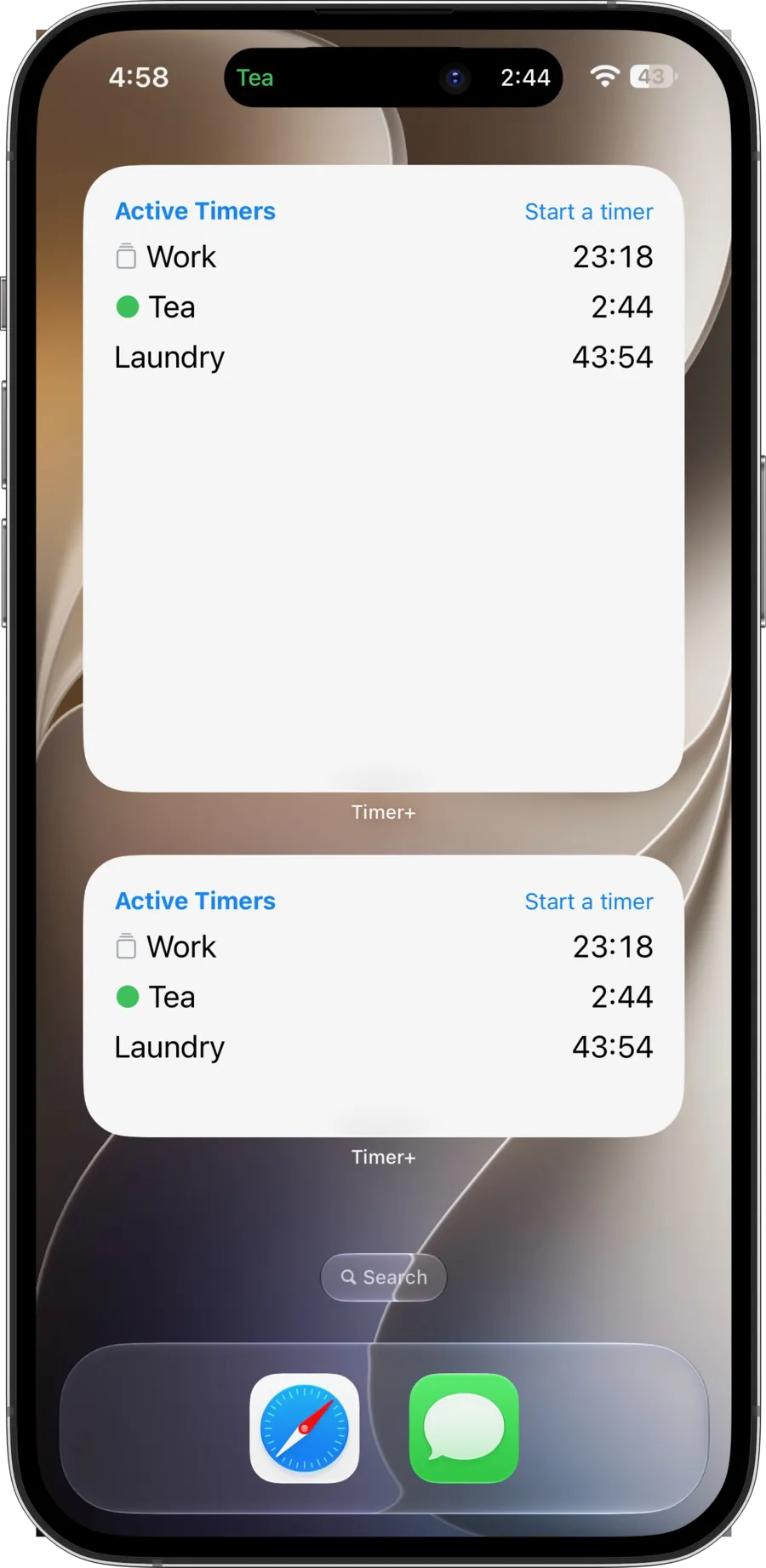
- Tiện ích vừa có chỗ cho tối đa bốn bộ hẹn giờ đang hoạt động.
- Tiện ích lớn có chỗ cho tối đa mười một bộ hẹn giờ đang hoạt động.
- Khi số bộ hẹn giờ đang hoạt động nhiều hơn số tiện ích có thể hiển thị, tiện ích sẽ cho biết còn bao nhiêu bộ hẹn giờ.
- Chạm một bộ hẹn giờ để mở nó, chạm Bộ Hẹn Giờ Đang Chạy để mở danh sách đang hoạt động, hoặc chạm Bắt đầu bộ hẹn giờ để mở các bộ hẹn giờ đã lưu.
Hãy chọn tiện ích lớn nếu bạn thường chạy nhiều bộ hẹn giờ cùng lúc. Tiện ích vừa phù hợp hơn khi bạn thường chỉ có vài bộ hẹn giờ đang hoạt động.
Tính khả dụng
Phần tiêu đề “Tính khả dụng”Tất cả tiện ích Timer+ trên Màn hình chính và mọi lựa chọn bộ hẹn giờ đã lưu đều dùng được mà không cần Timer+ Pro.
Đã sẵn sàng chọn? Làm theo Thêm tiện ích Timer+ để xem hướng dẫn cho Màn hình chính.
Muốn tự động hóa bộ hẹn giờ? Hãy khám phá Phím tắt Timer+ cho iPhone và iPad.