
Recommended Notification Settings
In the Settings app > Apps > Timer+ > Notifications, configure the following:
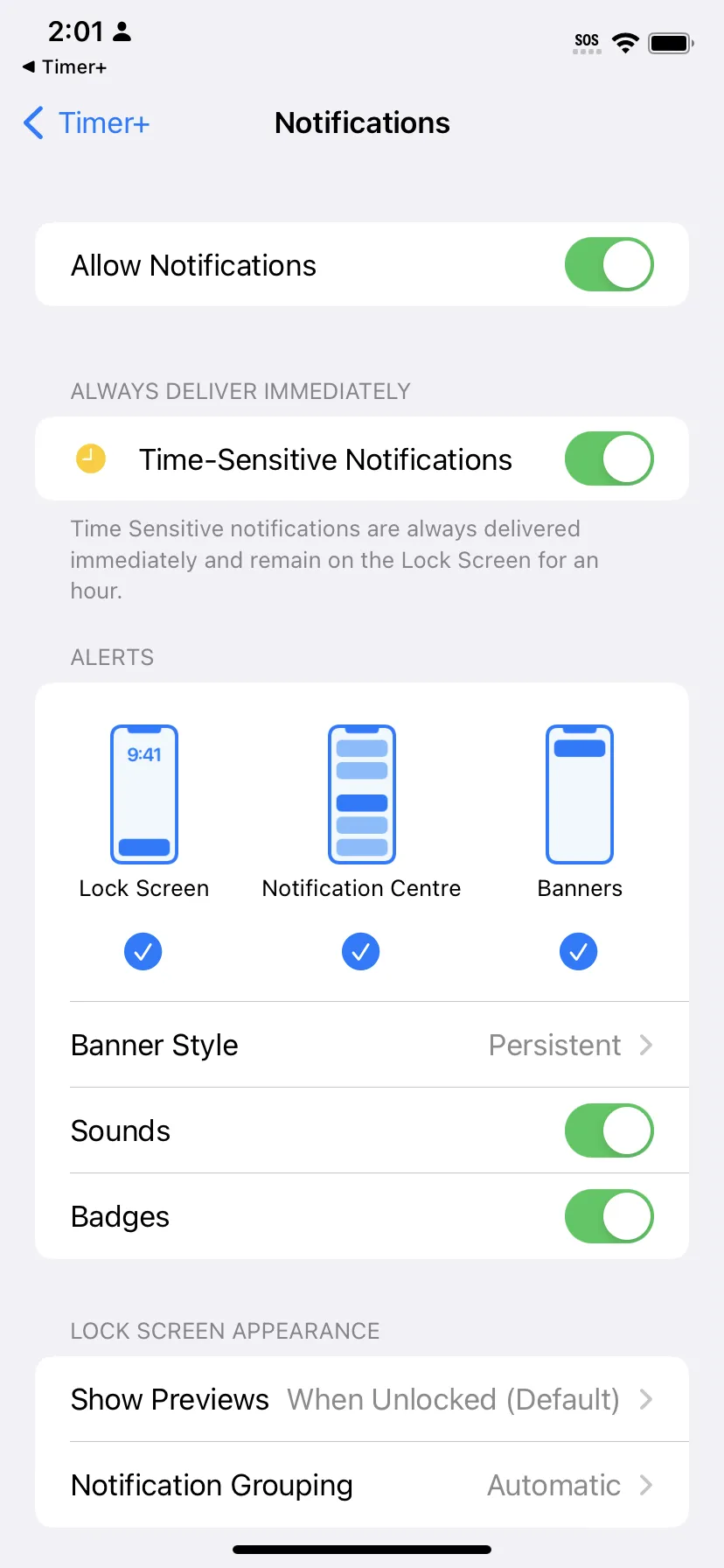
- Turn Time-Sensitive Notifications ON → This ensures alerts arrive immediately when a timer ends.
- Set Banner Style to Persistent → Lets the alert sound play for up to 30 seconds.
Make a Timer ring in Silent mode or a Focus
Section titled “Make a Timer ring in Silent mode or a Focus”Notifications follow Silent mode and Focus. If a Timer’s end must ring anyway, make the Timer urgent. On iOS 26 or iPadOS 26 or later, its end rings as an alarm, even in Silent mode or a Focus. Its other alerts still use notifications.
Check background alert coverage
Section titled “Check background alert coverage”Sounds and Announcements, including one-time and recurring alerts, can play through background notifications. All timers share a limited number of notification slots. Frequent recurring alerts can fill those slots sooner, so check the coverage shown in the alert editor. If you get the notification “Open Timer+ to Keep Hearing Alerts,” open the app to schedule more alerts. See When alerts play.